
Cover front
Part 109187Illustrative rendering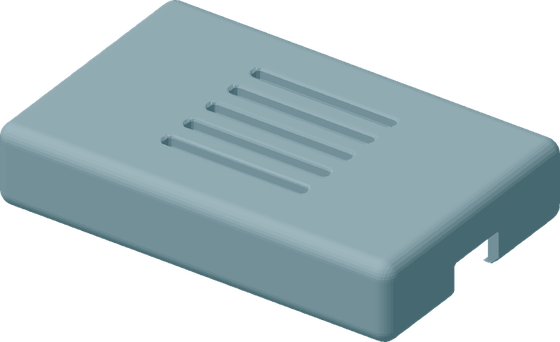
- Lead time
- 84 days
- Stock coverage
- 0 months
- Sources
- 1 (single source)
- MOQ covers
- 300 months of demand
- AM route
- FDM, ASA, validated
Now in the digital inventory, ready to order.
Spare parts supply chain intelligence
Last time buys, worn tooling, long lead times and minimum order quantities. Supply Pain Inspector shows where they sit in your own parts data and which parts can be solved with AM.
Supply Pain Inspector doesn't replace your planning tools. It finds the problems planning can't fix.
One part from the sample data
Now in the digital inventory, ready to order.
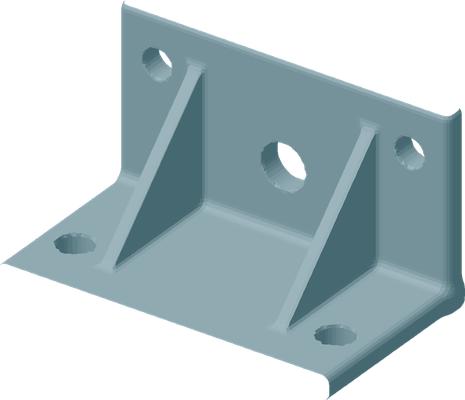
Now in the digital inventory, ready to order.
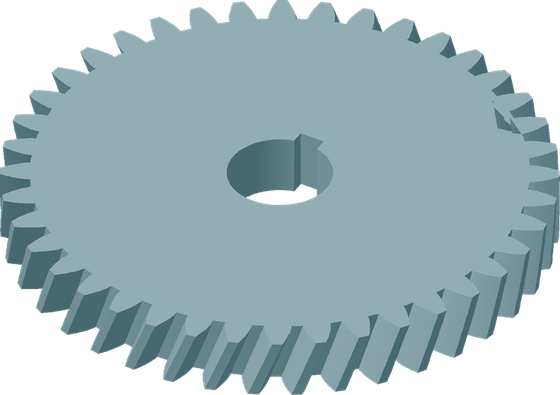
Now in the digital inventory, ready to order.
Keep your current process. No AM case.
Sample data, not customer data
What it does
Supply chain first, AM second. You upload what you already have. The tool does the screening and shows you what matters. Most of your parts are fine as they are. SPI finds the ones where the supply side hurts.
Every part gets a plain sentence that says why it matters. You see the exposure in your supply chain and, separately, the parts where AM can help. Each new upload shows what changed since the last one.
Open an AM passport for a part, add the 3D file and move it through the workflow, from first assessment to a validated part in your digital inventory. You compare cost on total cost of ownership, not on piece price.
I set up the first scan with you and I am available afterwards. You can draw on my AM expertise and my network of qualified service partners whenever a part needs it.
From pain to orderable part
Most tools end in a report. Supply Pain Inspector follows a part until you can order it, like any other part.
Every part with an AM passport has a status. You see what waits for data, what is with the service partner and what is ready. The passport holds the 3D file, technology, material and the full history.
Once a part is validated, its technology, material and geometry are locked. A change needs an explicit, noted unfreeze, so what you ordered last time is what you get next time.
Validated parts sit in your digital inventory. No physical stock. A buyer picks the part, sets a quantity and orders it against the AM lead time instead of the old supplier lead time.
The tool
Screens from Supply Pain Inspector with demo data. Clear numbers first, the detail one click away.


See it work
Click a clip to play it in a larger window. Each one is under 10 seconds.
Upload a parts list and the executive view shows where the supply chain pain sits, with a Why sentence per part. 5 seconds.
Open Changes, click a signal such as stocked out and see the parts behind it. Nothing else.
Pick a group in the matrix, select a part and create its AM passport. The part is now in the workflow.
Open the digital inventory, click a validated part and see its technology, material, lead time and 3D model.
Who it is for
OEMs, MRO organizations and spare parts businesses with a large parts range, long lead times and parts that are expensive to keep or impossible to buy.
See how it helps youService providers and printer manufacturers that want a stronger conversation with customers about supply chain, not only about engineering.
See how it helps youSupply chain advisor or integrator? You do not need AM experience to use Supply Pain Inspector in your work.
Read moreWho is behind Supply Pain Inspector? A business and supply chain background, and years of AM in the spare parts chains of large OEMs.
About meFor MRO and spare parts
For OEMs, MRO organizations, spare parts and service businesses. Upload your parts data and see which parts cause supply pain, and which of them AM can solve.
The problems
You buy years of demand in one go because the supplier stops, and the stock sits on your balance sheet.
Injection molding tooling is worn out and a new tool is not worth it for the remaining volume.
A small part with a lead time of months, or a minimum order that far exceeds what you need.
What you get
Part of it works from the first upload, part of it grows as you use it. You decide how far you take it.
One screen that shows the parts where AM can help and the parts with the highest supply chain exposure. Each part has a plain sentence that says why.
Inventory tied up in parts that barely move, gaps in your data, and what changed since the last upload.
Per part: 3D file, technology, material, status and history. Move a part from first assessment to a validated part in your digital inventory, ready to order like any other part.
AM is usually more expensive per piece. The comparison counts tooling, minimum orders, stock and lead time, so you see where AM wins on total cost of ownership.
You work with a file you already have. No supply chain or AM expert is needed to read the results.
I set up the first scan with you and I am there when a part needs an AM view. You can draw on my network of qualified service partners.


Questions
A parts list with part number, description, annual demand, lead time, minimum order quantity, stock and cost. Dimensions and material help, but missing data does not stop the scan. The tool shows you what is missing, so you know what to improve first.
Nowhere. The tool runs on your own machine and the data stays with you.
No. It finds the problems your planning tools cannot fix, such as a part with no supplier left, worn tooling, or a lead time and minimum order that no plan can shorten.
The parts where AM makes the strongest case, and nothing more. Every part comes with a plain Why sentence, so you see exactly why it is on the list and can focus your time where it pays off.
On total cost, not unit price. Stock you carry, last time buys, minimum order quantities, tooling and lead time all count. The unit price of a printed part is often higher, and the total cost can still be lower.
You create an AM passport for the part and take it through the workflow, from assessment to a validated part in your digital inventory. Then you order it like any other part, from and invoiced by a qualified AM service partner directly.
No. The scan starts from supply chain data you already know. I explain the AM side where it matters and help you choose the right service partner.
Upload the new file and the Changes view shows what moved: parts that became priority, lead times that got worse, parts that are out of stock and new parts.
The demo runs on about 10,000 parts. Larger lists are a matter of scoping, which we do together.
For the AM industry
Most AM conversations start with engineering and end with a handful of parts. Supply chain sees what engineering cannot: long lead times, MOQs that cover years of demand, single suppliers. Start there, and the list gets longer. Run it again on the next export, and it grows again.
Sound familiar?
The part looks great as a print. But nobody has made the business case, so it stays an interesting sample.
The people who sit on the last time buys and the long lead times are not in the room.
One part gets printed. There is no list of the next ten, and no route from assessment to an order.
Two audiences, one idea
The difference
See it work
Click a clip to play it in a larger window. Each one is under 10 seconds.
Select a part from the matrix and create its AM passport in a few clicks.
The customer sees a validated part with technology, material and lead time, and orders it from you.
How it works for you
Your customer uploads a parts list, or you run it with them in a first session. The result shows where the supply chain pain sits and which parts AM can address.
Every part comes with a plain Why sentence and a total cost comparison. That gives you facts for the meeting, not opinions.
The AM passport and the workflow take a part from assessment to a validated part in the customer's digital inventory. The customer orders from and is invoiced by the AM service partner directly.
Questions
Yes. The tool starts from the data and gives every part a plain Why sentence. I support the first scans with you and explain what AM changes in a supply chain, and where it does not fit.
It gives you a second door next to engineering. You talk to procurement and supply chain people about parts that already cost them time and cash, with qualified use cases instead of a general AM pitch.
The customer. The tool runs on their own machine, or on yours in a joint session, and the data stays with them.
The customer orders from and is invoiced by the AM service partner directly. Supply Pain Inspector prepares the case and the workflow, it does not sit in between.
It shows which parts at a customer or prospect make a real supply chain case for AM. You start from the pain the customer already feels, so the applications you find are the ones worth printing.
Tell me about your customers and how you work today. We agree on a first scan with one of them and take it from there.
Customer access
Use the login details you received from me. You sign in on the application itself, so your data never passes through this website.
Your account gives you access to your own project only. Lost your password, or no access yet? Send me a message and I will arrange it.
Contact
If you are exploring additive manufacturing for spare parts, I am always open to an introductory conversation. That first exchange costs no more than a (virtual) coffee.
What we can cover
Last time buys, worn tooling, long lead times or minimum orders. Tell me where it hurts.
How a scan on your own parts data works, and what you need to bring.
As an OEM or operator, as an AM service provider or printer manufacturer, or as an advisor.
About me
I am Michel Kokkelkoren, founder of AM-Konnect. I know what a late spare part costs, because I spent years in after sales. Later I brought AM into the supply chains of large OEMs. Supply Pain Inspector is built on that: the problem first, the technology second.

Supply Pain Inspector is the tool I wish I had in those years: a way to see in your own data which parts hurt, before anyone starts talking about technology.
For supply chain advisors and integrators
Supply Pain Inspector shows your client which spare parts cause the pain and which of them additive manufacturing can solve. You do not need AM experience.
Why it fits
Lead time, demand, stock and minimum order quantities first. AM comes second.
I explain what AM changes in a supply chain, and where it does not fit, so you can talk about it with confidence.
The tool runs on the client's own machine. The data stays with the client.
If you are exploring additive manufacturing for spare parts, I am always open to an introductory conversation. That first exchange costs no more than a (virtual) coffee.